Switching to Linux After 19 Years on macOS
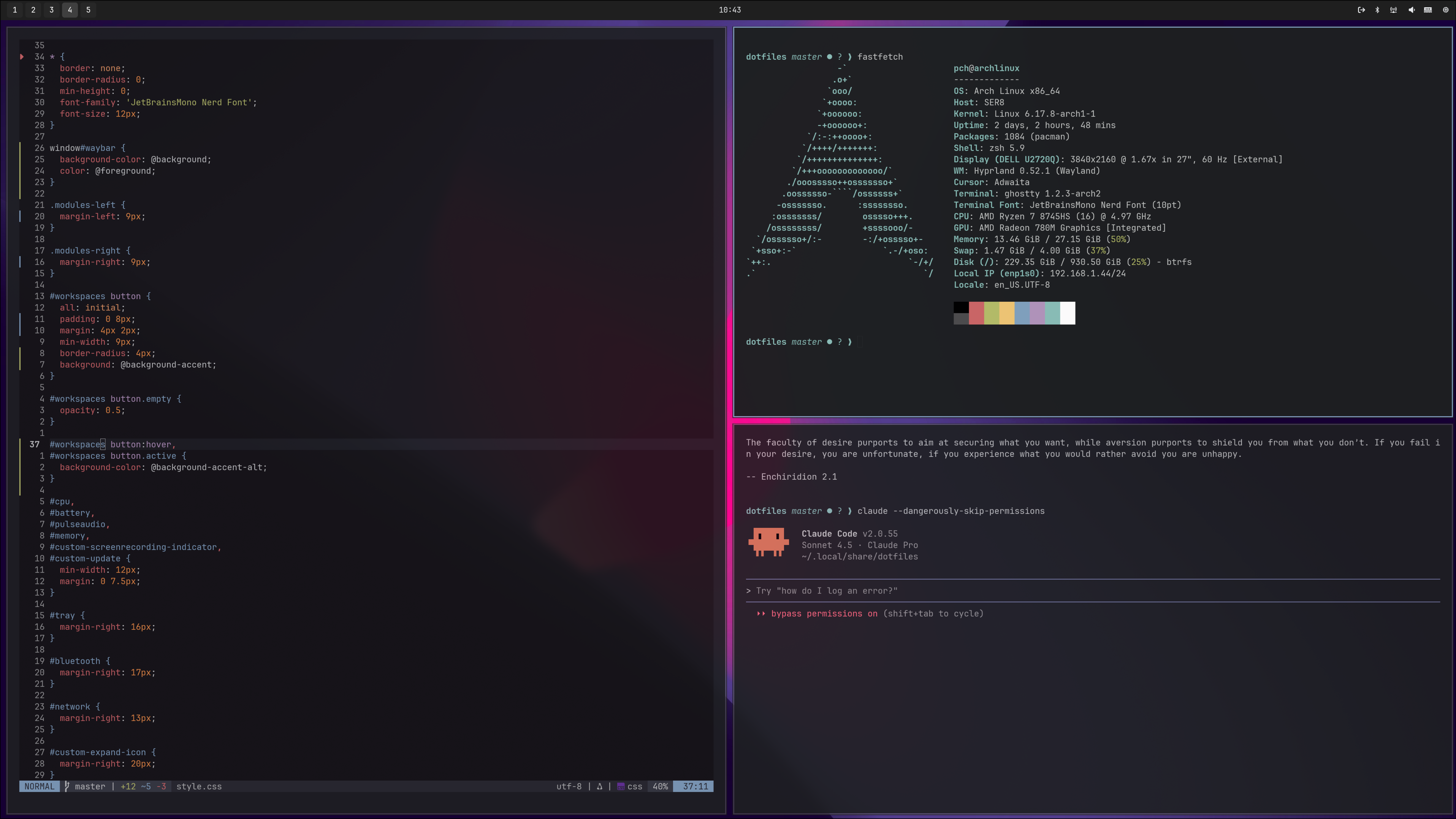
In October, I decided to try to switch my main development machine to Linux. After almost two decades in the Apple ecosystem, the change has been both refreshing and challenging.
For over three months I gave it a serious try. I can’t say it was a success, though.
In this post
Background and motivation
In the early 2000s, I went through a brief Linux phase. I installed Slackware and Mandrake. Ubuntu hadn’t come out yet1. I managed to run rm -rf / instead of ./, and played with KDE. But that was about it. Every piece of software that interested me at the time ran on Windows.
Later on, I switched to macOS, and for many years it offered the best of both worlds: Unix tools, nice UI, and great hardware. It just worked and made all the right choices for me.
But macOS has been in a downward spiral for years now – and it’s not just my impression. Apple has been trying hard to align it with iOS, pushing one questionable change after another. Every year at WWDC, they need something new to show off – something that looks good in the keynote. That means: more animations, new half-baked apps, more bugs. Since Snow Leopard, there haven’t been many new features that felt genuinely useful. Instead, with every new release, it’s just more stuff to hide or ignore.
I’ve quietly tolerated all this, but Tahoe and Liquid Glass finally pushed me to start exploring alternatives. If macOS were to go away, is there another OS I could be happy with?
Enshittification aside, as Apple accumulates more monopoly power and control over our data, there’s the looming question of freedom, ownership, and agency over your digital life. If Apple can remotely brick your devices and lock you out of your iCloud account, is your computer really yours?
I’ve avoided handing over the keys to my data to Apple. I’ve made sure to never use iCloud for my photos or files. I’ve done a decent job not locking myself into proprietary software. But my reliance on Apple and its whims was nonetheless concerning.
I use my computer mainly for software development: Ruby on Rails, JavaScript/TypeScript, Docker, some Go. Occasionally, I do photo editing in Lightroom. No gaming, no video/audio work. A single display.
I figured, apart from Adobe Lightroom2, a big chunk of my personal computing needs could probably be taken care of by open-source software.
Hardware and distro
I got a Beelink SER8 mini PC with AMD Ryzen 7 8745HS, 32GB RAM and 1TB NVMe SSD. It’s a surprisingly capable machine.
I chose it is because it was often recommended by the Omarchy community. Omarchy was my initial choice of distribution. It’s based on Arch, easy to install, comes with a nice set of defaults. It’s also a great starting point to learn a tiling window manager (Hyprland).
However, the more I understood how Omarchy works, the more control I wanted over my system. So I installed Arch from scratch and went down the rabbit hole, configuring it and ricing Hyprland. But more on that later.
A few weeks into this experiment, I installed Fedora Asahi Remix on my M1 MacBook Pro. There wasn’t much choice: it was the only distro available for my M1.
What I instantly liked about Fedora and GNOME was that it worked right out of the box. I didn’t have to do anything to configure basic settings like audio, printing, or wifi.
Asahi Linux on a MacBook has a few limitations, so I didn’t end up adopting it. But I said goodbye to Arch (for now) and installed Fedora on the Beelink too.
My current setup is Fedora with GNOME and Hyprland.
Making it easier to switch
To make the switch less disruptive, I wanted to introduce the Linux desktop machine into my existing ecosystem in a way that would let me reuse software across macOS, Linux, and iOS.
The biggest change I had to make was my main browser. I’d been a die-hard Safari user since my first MacBook. But Safari has also been going downhill for a while, and it doesn’t work on Linux. I switched to Brave, mainly for its built-in ad-blocking and support on every major OS. It also let me set up a sync chain to share tabs, bookmarks, and history between iOS, macOS and Linux.
I’ve been using Fastmail for many years now. They have a usable (but not great) app that works on both macOS and Linux. I decided to move my iCloud calendars (CalDAV) and iCloud contacts (CardDAV) to Fastmail as well3.
For music, I switched to YouTube Music. It may not be as powerful as Apple Music or Spotify – it doesn’t even have a dedicated app. But I already have a YouTube Premium subscription and YouTube Music is covered by it.
I also wanted to detach my personal files from macOS, so that a) other devices can access them and b) my devices become more stateless and disposable. My photos, documents, videos, were all in the standard macOS directories under my home directory, with backups on Synology and external drives. I previously used Synology Drive as a “personal Dropbox” and it was pretty smooth – it even has a Linux client. However, in the spirit of avoiding proprietary software for this experiment, I wanted to use a FOSS tool for file sync.
Syncthing did the job. It’s a little less intuitive to set up than Dropbox or Synology, but it works really well4. I now have a ~/Cloud directory with my documents, photos, screenshots, and other files – and it’s synced to multiple devices (including the Synology NAS). On Linux, thanks to XDG directories, these “Cloud” directories replace the default ~/Documents, ~/Pictures, etc. (It doesn’t seem to be possible to do this on macOS, sadly).
I said I wouldn’t be using proprietary software, but I made an exception: 1Password (password manager and ssh agent). On macOS and iOS, I rely heavily on 1Password, and didn’t want to give it up just yet. The Linux experience is nowhere near the macOS version (forget Cmd + \ or Touch ID), but with a browser extension, it works well enough and it made the transition less painful.
Other notable tools that made the switch easier:
- Ghostty terminal emulator.
- atuin for shell history.
- Obsidian for plain-text notes (private
~/Cloud/Notesdirectory, synced with Syncthing). - Newsflash RSS reader.
- LocalSend AirDrop replacement.
The good parts
Personal OS
The most appealing aspect of Linux is that you can truly make it your own. Hyprland, Sway, and other tiling window managers force you to assemble your own desktop environment. The defaults are plain ugly, so if you want to make it look good, you’ll have to do a lot of tweaking (ricing). You’ll want to style Waybar. You’ll need to decide on an application launcher. Then you’ll have to make it look like the rest of your setup. You can even style GTK apps with CSS.
GNOME is more opinionated and pre-packaged, but leaves enough room for customization via extensions, and the Tweak Tool.
The best part is that you’re in charge of what’s in your OS. Nobody can force you to use an online account to use your system. There’s no way you’ll be served ads in the start menu.
AI is good at Linux
During my brief stint with Arch, I had endless noob issues with config. Whenever I got stuck or needed to make changes to my dotfiles, I ran claude --dangerously-skip-permissions and described the problem.
Claude can analyze system logs, point out configuration issues, debug crashes, and write shell scripts.
I had an annoying issue with GNOME overwriting my custom XDG directory config. Claude explained why it happens, showed me the exact line in the GNOME C source that causes it, and suggested a working fix. Pretty amazing.
It wrote my neovim config, pointed out the cause of GPU crashes in Chrome, helped me fix my bootloader settings, wrote a script to set up swap and hibernation.
I realize that letting AI roam around the system unrestricted may not be the safest (or smartest) thing to do, but I found it immensely helpful.
Hyprland is awesome
I was skeptical of the alleged benefits of tiling window managers. After decades of using floating windows, it never occurred to me that they could be a “productivity loss”.
I dabbled in various tiling apps on macOS before (e.g. Rectangle), but it never clicked.
But now I get it. A real tiling window manager is a different beast.
When you log in to your Hyprland session, there’s just a blank screen5. No icons, no dock. You need to know your hotkeys or you won’t be able to do anything.
Hit Super+Enter: a terminal window will fill your screen. Hit Super+Shift+B. The terminal will resize itself to take up the left-hand half of the screen. On the remaining space, your browser will appear. Hit Super+F, and the browser will make room for the file manager app below it.
Hit Super+2, and you’re now in Workspace #2. It’s empty, so you repeat the sequence and hit the right keys to lay out the apps. This workspace can have your email client.
Hit Super+3 and you’re in Workspace #3. This one can hold the music player.
There’s no moving windows around with the mouse or searching for them with your eyeballs. There’s no Cmd+Tab to switch to another app. A quick glance at Waybar, and you know you’re in Workspace #3. You want to switch to your “coding” workspace, so you hit Super+1, and you’re instantly in Workspace #1, where you have your terminal and the browser.
It takes a while to get used to it, but after using Hyprland, macOS feels extremely slow and inefficient. Mission Control is a joke compared to workspaces in a tiling WM.
That said…
GNOME is more complete and stable
Hyprland can be rigid and bare-bones, with too much manual configuration and TUIs. GNOME made me feel more at home. It’s much closer to macOS: a complete desktop environment with a decent set of defaults. And it looks nice out of the box.
The built-in workspaces and basic tiling support gave me 70% of the benefits of Hyprland, without most of its headaches.
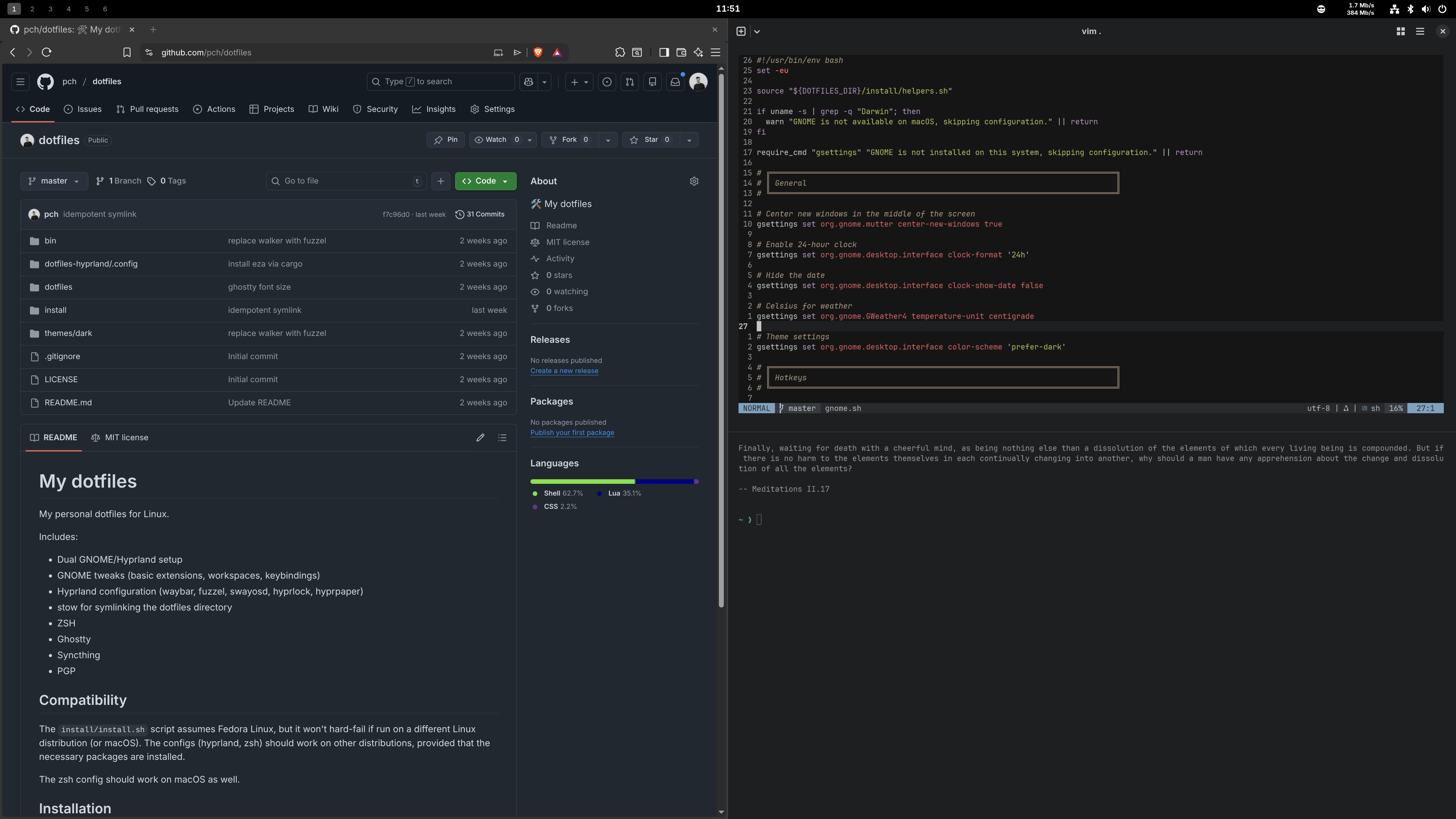
I made a few customizations, including numbered workplaces, custom key mappings, a couple of basic extensions.
Currently, GNOME is my preferred option, but I’ve also kept Hyprland around.
Perfect software development environment
I’d spent years writing code that shipped to Linux environments, but, like many, I’d never used Linux for development. This often meant using VMs, jumping through hoops to be able to run Docker, or just hoping that the code that runs locally on macOS works the same on an Ubuntu server.
For the type of work I do, Linux is a natural fit, and I’ve resisted it for too long. All the tools are available, package managers are much better, and there’s no performance penalty for running Docker.
The not-so-good parts
It’s a time sink
With Hyprland and Arch, you can spend endless time configuring the system, and the yak shaving never ends. If you ever got stuck configuring Vim, this is another level.
The Linux ecosystem fragmentation is real. The sheer number of choices to make can be overwhelming, starting with the distribution itself. If you’re using a popular distro like Ubuntu or Fedora, you’re shielded from many of those choices. But installing Arch with Hyprland will expose every moving part: bootloader, plymouth, display manager, session manager, window manager, pipewire.
In Hyprland, you need a separate piece of software for: desktop background (hyprpaper), idle manager (hypridle), lock screen (hyprlock). You’ll also need an application launcher, a notification daemon, an OSD, and more. These programs are made by different people and they don’t always play well together. Each one has a different configuration format, and needs to be themed separately.
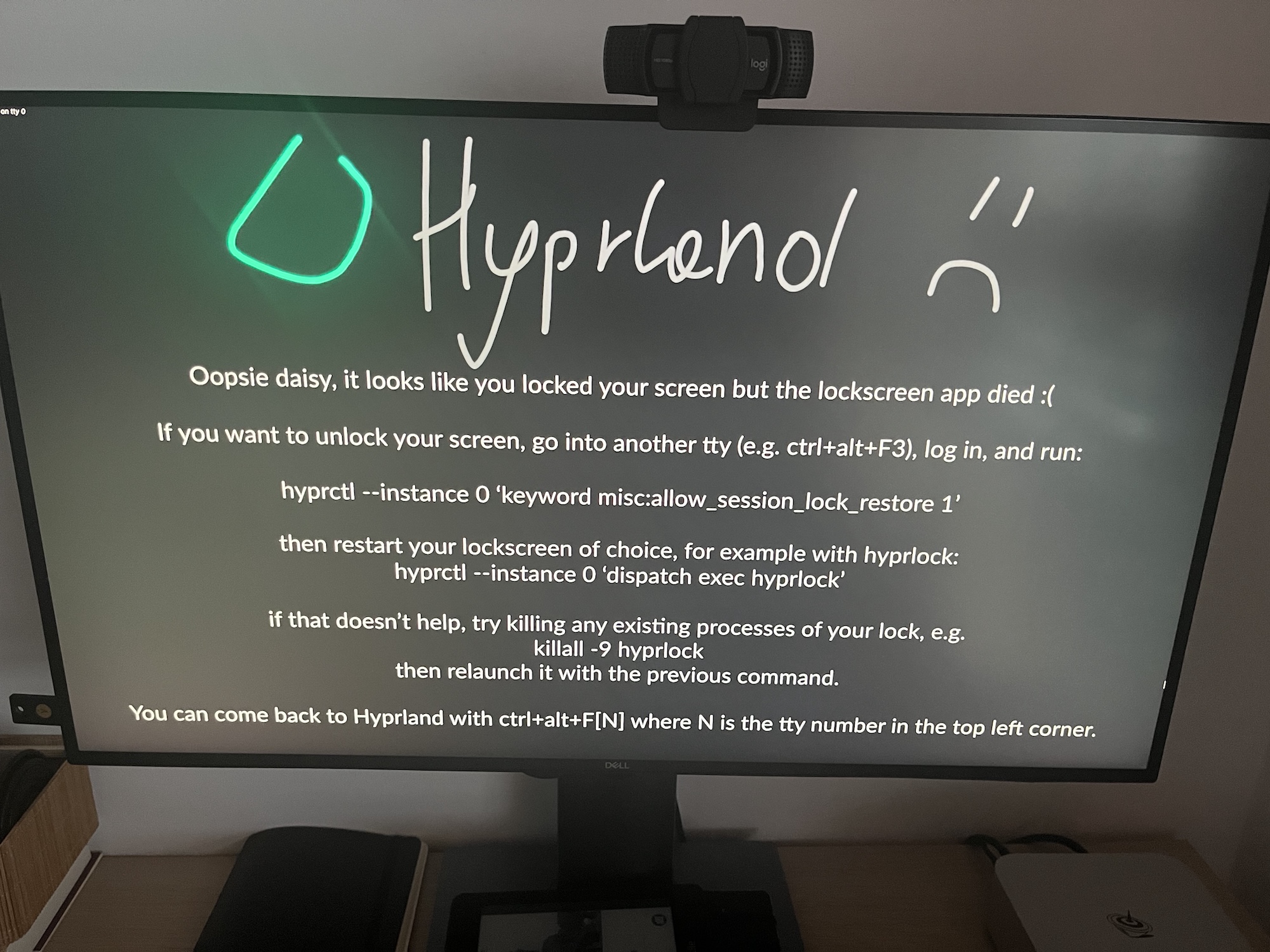
This was a fun exercise, and I learned a lot about the system and the tools involved in the process, but at some point I had to snap out of it and ask myself: what am I doing? I have a family to feed and work to do. Why am I messing with a bootloader setup? For now, I’m happy to leave these kinds of decisions to Fedora and GNOME.
Graphic glitches
Back when I first tried Linux more than two decades ago, graphics drivers were a nightmare to get working. In 2025, things are better, but some of the same issues remain.
I’m on an integrated Radeon GPU, which, I hear, is less problematic than Nvidia, and for the most part, everything works fine.
Every once in a while, I have to do a longer video call on Google Meet. I turn on a background filter (blur or image), which requires hardware acceleration. After roughly 30 minutes, video freezes: the machine becomes unresponsive, the screen goes black, and Hyprland (or GNOME) crashes.
I’ve experienced random graphics glitches: flickers, pink flashes, banding. I realize many of the problems are probably caused by Wayland, which is yet another confusing piece of the puzzle.
Keyboard shortcuts (the copy-paste situation)
Coming from macOS, I found Linux keyboard shortcuts extremely frustrating, and it took me a long time to unlearn the Command key.
On macOS, copy/paste means Cmd+C/V, and it works everywhere, no matter where you are. On Linux (and Windows), it’s Ctrl+C/V. With one exception…
For historical reasons, terminals require Shift+Ctrl+C/V for copy/paste6.
Omarchy works around this madness providing universal copy/paste via Super+C:
bindd = SUPER, C, Universal copy, sendshortcut, CTRL, Insert,
bindd = SUPER, V, Universal paste, sendshortcut, SHIFT, Insert,
But that’s another customization and it doesn’t work on GNOME. So I decided to suck it up and force myself to learn the defaults.
That said, there are some defaults that I just had to change:
- Alt+F4 for closing windows – I remapped it to Super+W.
- Caps Lock is remapped to Ctrl, as God intended.
Installing software
Every major distribution has its own package manager. and there are also separate package managers for desktop software, like Flatpak and Snap.
Arch has pacman and AUR (my personal favorite of all I tried). On Fedora, there’s dnf, but you also get a Flathub app store based on Flatpak. Ubuntu has Snap, which I don’t have any experience with, other than reading hateful posts about it on Reddit.
I love the idea of Flatpak: bundle an application with all its dependencies (as reusable layers), run it in a sandbox, make it easy to install and update, and allow anyone to contribute.
In theory, this is the perfect solution to how software should be distributed.
In reality, the experience just isn’t there yet. First, initial downloads take forever because it’s pulling all those dependencies/layers. Now that I understand why it happens, I can live with it. But it made me wonder why a simple app takes up hundreds of megabytes.
But a bigger problem is that some apps don’t work with this model. For example, I installed Brave via Flatpak, and I couldn’t set it as the default browser. 1Password integration didn’t work either. The solution was to remove the Flatpak version and install Brave via the RPM package.
This could be just an issue with Brave itself, not Flatpak, so I’ll try again in a few months. Still, the overall UX could be better.
Non-Apple Laptops suck
After hours of research, I’m sad to report that the ability to make a high-quality laptop seems to be a skill reserved exclusively for Apple.
Every laptop I looked at had something wrong with it: quality of materials, overheating, wobbly/bendy displays, weird keyboards, crappy trackpad. Or they were all just plain ugly.
Another surprise was that I expected non-Apple laptops to be significantly cheaper. They are not, at least when you try to match the CPU, RAM, and disk.
Combined with the additional Linux-specific issues, it seems that getting a Linux laptop is a guaranteed downgrade.
Why I’m keeping the MacBook around
I barely opened my MacBook during this experiment, but in the end, I just had to face the truth: macOS is still better for my needs and as much as I want to love Linux, there are too many small issues that make the experience feel frustrating and lacking.
What I missed the most:
-
⌘ key. Linux made me appreciate how many problems it solves.
-
Raycast. It’s just so good that I don’t want to give it up.
-
Touch ID. Typing passwords again sucks. 1Password on Linux isn’t great either.
-
Built-in dictionary. As a non-native speaker, the 3-finger tap (Cmd+Ctrl+D) has been one of my favorite features on macOS.
-
Emoji picker and Apple emojis. Emoji pickers on Linux often don’t insert the emoji directly, they just let you copy it to the clipboard. Also, the Noto Color Emoji font is not as good.
-
Font rendering on macOS looks much better to me.
-
Music quality. For some reason, music on my Linux box sounded way worse (flat, muffled) than on the MacBook, even with the same headphones.
EDIT 2026/04: A cheap CX31993 DAC fixes the issue for wired headphones, but Bluetooth audio is still not great.
-
Lightroom. There’s no decent alternative.
-
CleanShot. After using CleanShot, dealing with screenshots on Linux feels like a chore.
-
Xcode. I like to experiment with Swift and SwiftUI.
Apple proved that money can be a pretty good incentive for developers. Native desktop apps with the quality of Raycast or CleanShot are pretty much impossible to come by on Linux. Many popular desktop apps for Linux are made by people with no visual taste whatsoever.
That – combined with general stability, usability, and feel – means I don’t feel like I can give up macOS.
I haven’t fully given up yet, though. I still use the Fedora box for coding occasionally, and I want to experiment with turning it into a server for agents and self-hosted services.
So, should you try it?
Despite all the negativity above, I’m actually quite happy with how this experiment turned out.
If you do a similar type of programming work, you should consider giving it a try. However, if you rely on UI-heavy apps – video, photo, or sound editing – you’ll be disappointed.
Go with a popular, widely-adopted distro like Ubuntu or Fedora, and do your best to avoid the configuration trap. If you want a pre-configured Hyprland setup to try out, install Omarchy. And use AI to help you troubleshoot.
Have fun! And patience.
-
When Canonical started shipping free Ubuntu CDs, I got one too! ↩︎
-
Darktable is an Open Source alternative and to be fair it looks more powerful than Lightroom feature-wise. But the UI is a complete mess. ↩︎
-
Non-iCloud Calendars integrate well with iOS, but when I moved contacts to Fastmail, a few quirks appeared. First, I lost all contact photos - that makes sense, because it’s an iCloud-specific feature. But another annoying bug is that now in iMessage, my contacts appear as phone numbers – for a second – then the numbers are replaced with the contact name. ↩︎
-
I had a brilliant idea to put my
~/Workdirectory (code) in the synced directory and it choked. Like every other sync tool, Syncthing doesn’t work well with thousands of small files (.gitornode_modules). Solution: I just clone my code directly from GitHub. ↩︎ -
And a wallpaper, if you set up a wallpaper service. Yes, you need a separate program to display a wallpaper. ↩︎
-
There’s also the mouse version: “select to copy” and paste with middle mouse button. Works fine, but I feel it requires a too much precision sometimes and produces unintended results. ↩︎